

Student Events Calendar
Dental Student Organization (DSO)
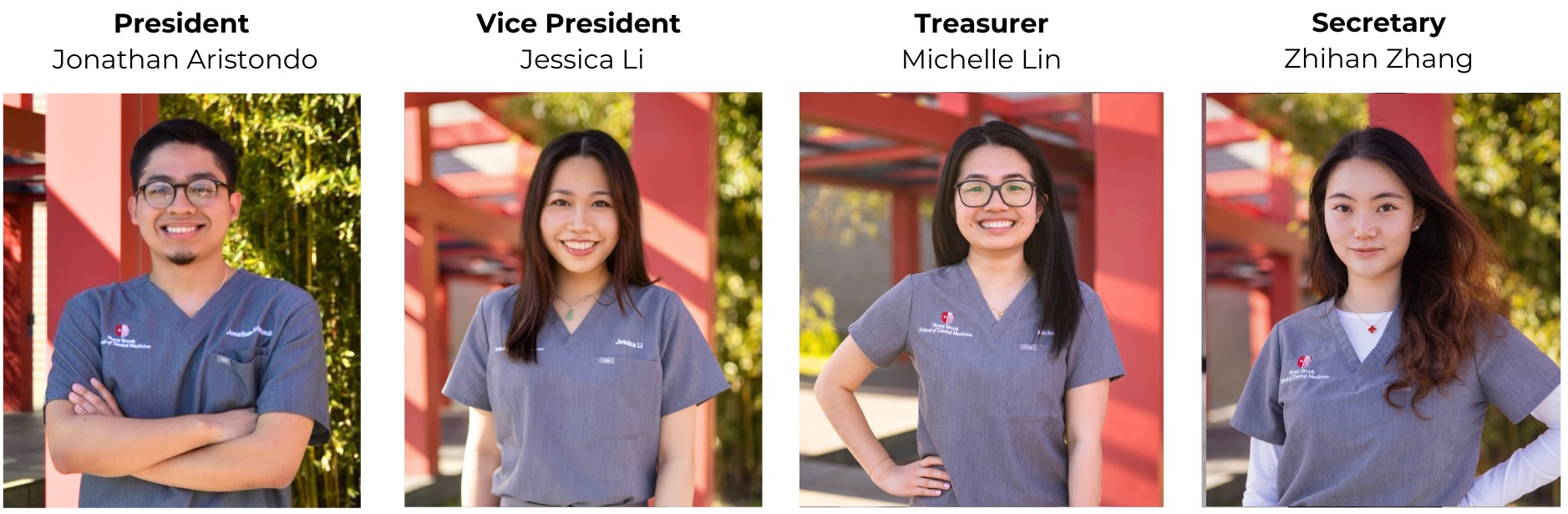
Meet our DSO board! Each year, third-year students are elected by their peers to serve on the DSO board. DSO oversees all student club/organization event funding requests. It is responsible for ensuring that student events are reviewed fairly based on the type of event, the population they are serving, and the event size, among other attributes. Student clubs/organizations can submit an event request form to DSO to request funding for their events for food, supplies, etc. Looking to host a student event but not sure where to start? Click here!
Looking to Host a Student Event?
All students looking to host an event must complete an event request form. Events include but are not limited to:
- General Meetings
- Fundraisers
- Enrichment Seminars
Once completed, please send the signed form and all appropriate supporting documentation to daniella.zajac@stonybrookmedicine.edu and DSO@stonybrookmedicine.edu
Questions on how to request funding for your events? Click here!
Starting a New Dental Student Organization
Submit the New Student Organization Checklist to the Office of Education:
- Organization Constitution which includes a mission statement
- Name/title of club advisor
- A list of eBoard members and preliminary list of student’s interest in joining. Organizations must have 10 active members
- A list of proposed activities during the academic year; signed off by the club advisor
Submit the completed form and supporting documents to the Director of Student Services for review
All dental students must submit a proposal through Student Engagement.
Student Engagement accepts new club proposals at the start of the Fall and Spring semesters.
Submissions are capped at 25 organizations per semester for the entire University; therefore, students are encouraged to submit their proposals as soon as the application opens.
The application dates are updated on the student engagement website each semester and can be found here under “Step 1: Proposal Process”.
Once approved by the Office of Education and Student Engagement, you are now officially established as a Recognized SDM Club/Organization
Overview of Event Request Form
Before selecting a date, please review the event calendar above to ensure that there are no other events occurring at the same time.
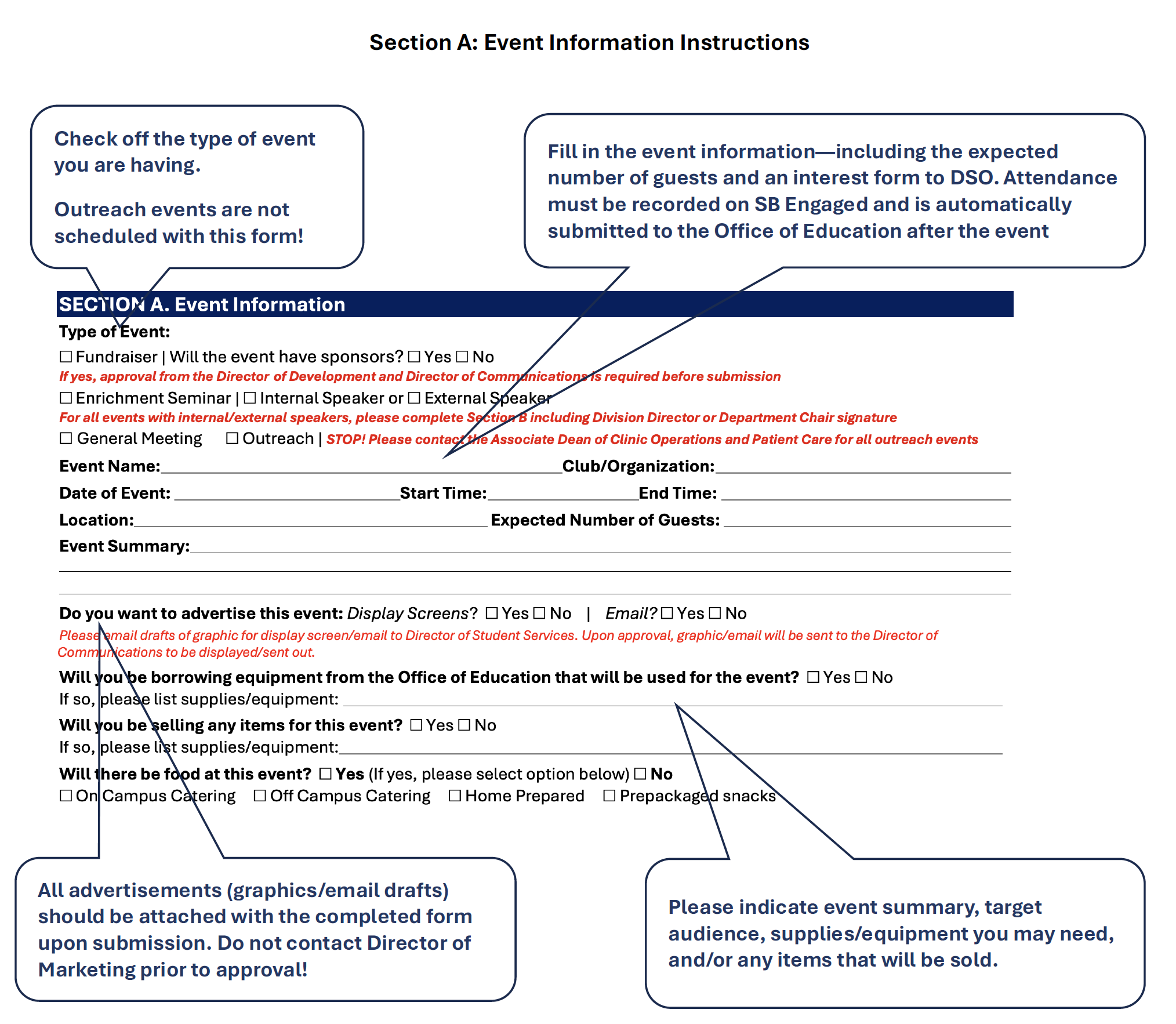
Please note: if you would like a graphic advertised on the display screens, please attach the graphic with the form. The format should be 1920px x 1080px.
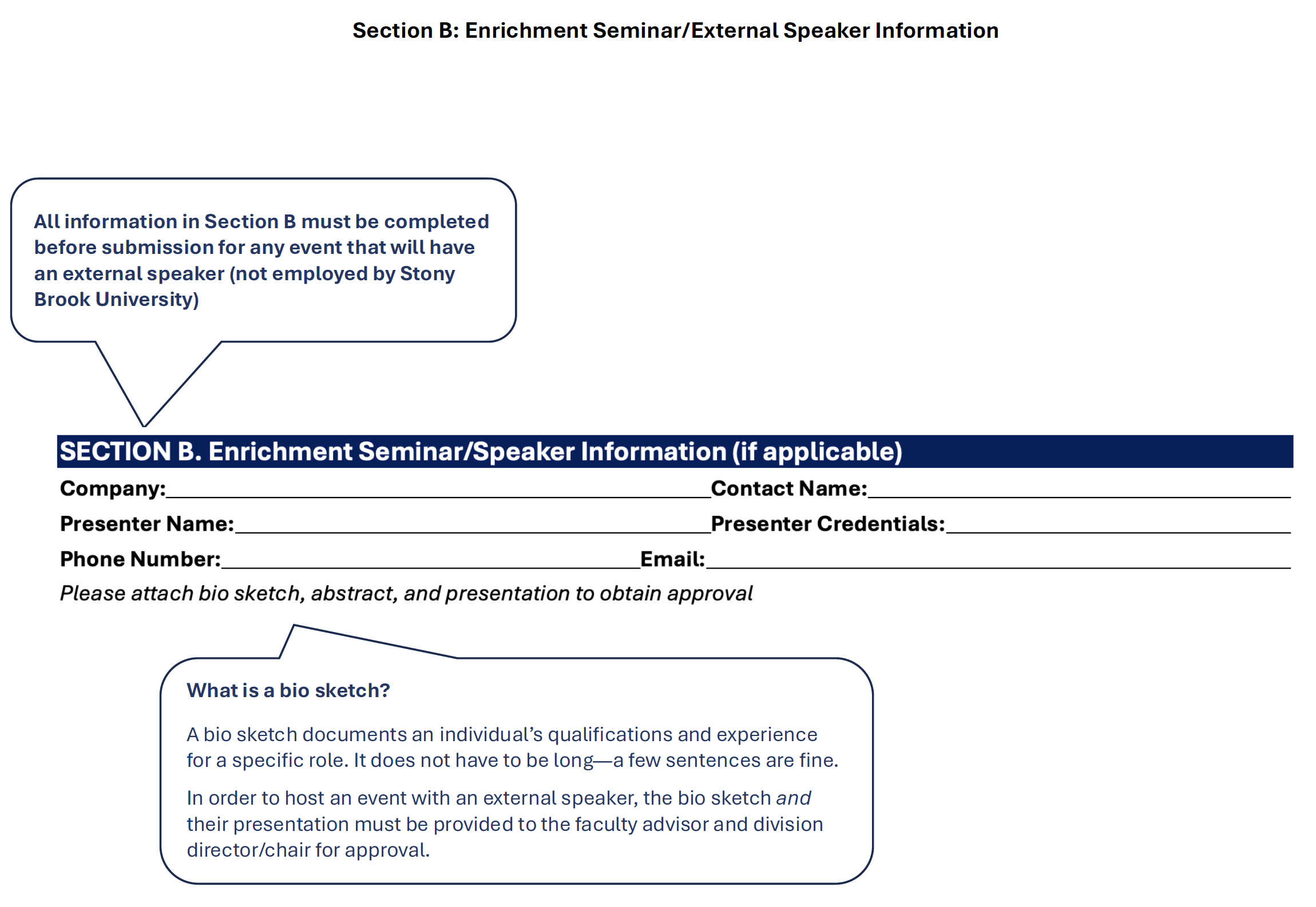
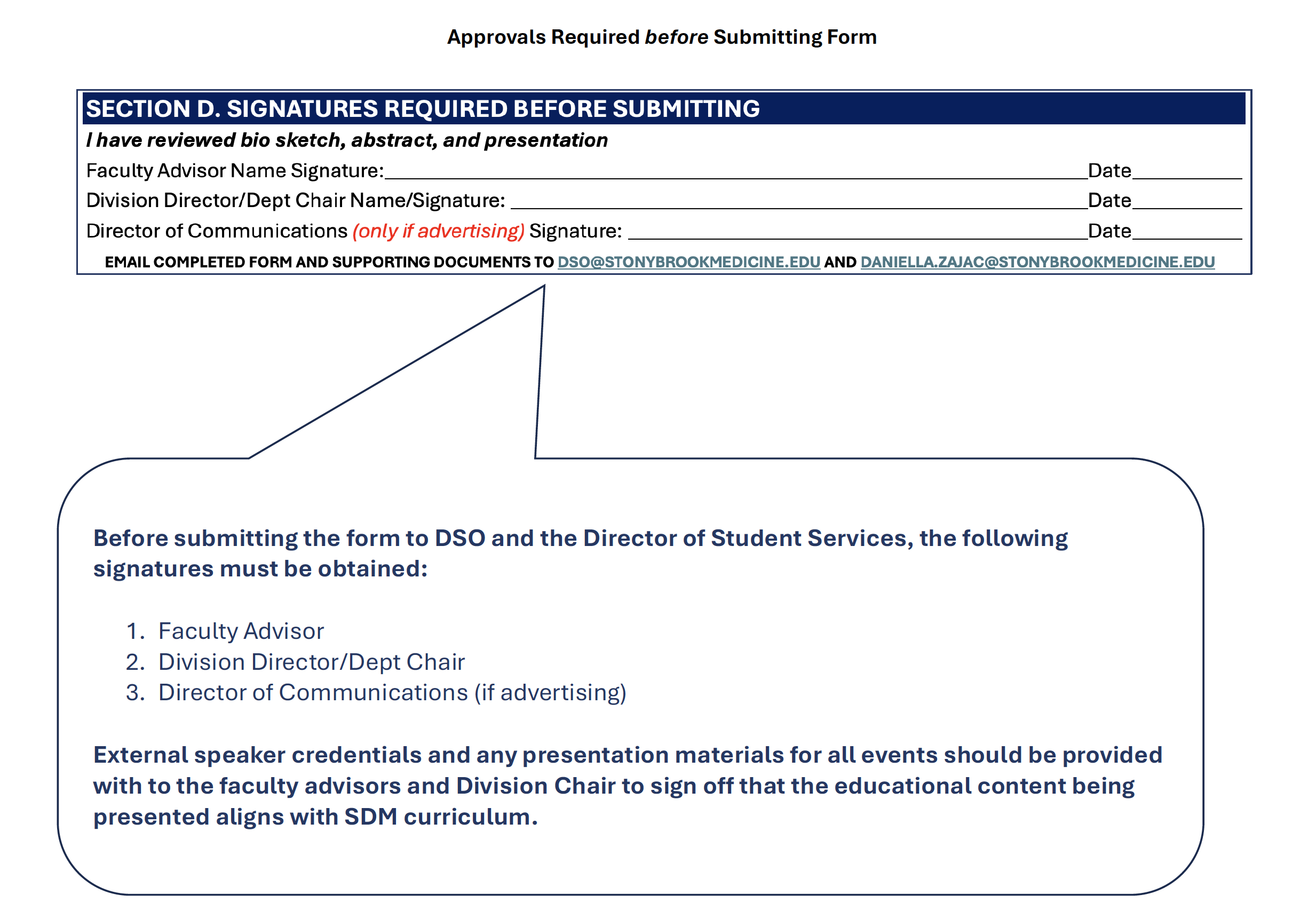
If you are submitting an event request form with an external speaker, all of Section B must be completed and the following information must be attached with the submission:
- Presentation slides (if applicable)
- Presenter Biosketch
Any form submitted to DSO for an enrichment seminar/external speaker must have both the faculty advisor and department/division chair signatures in Section D.
Please note, you may not request DSO funding for an enrichment seminar.
Once an Enrichment Seminar is approved, the student requestor must submit the following information to Director of Student Services:
- SDM Confidentiality Agreement for Visitors
- Visitor must sign on the day of. Completed form must be returned to the Office of Education with 24 hours of the event.
- SDM Application for Short-term Visitor
- Faculty/Staff Sponsor: Complete the form with the visitor information. under Faculty/staff, put the name/phone number of the student who should be contacted when the visitor arrives at the clinic. Once filled out, send to the Director of Student Services to sign and submit to the Clinic Administration.
- Vehicle Information
- If the visitor will be parking at the SDM, please obtain the license plate number/state in order for the parking to be validated on the day of the event.
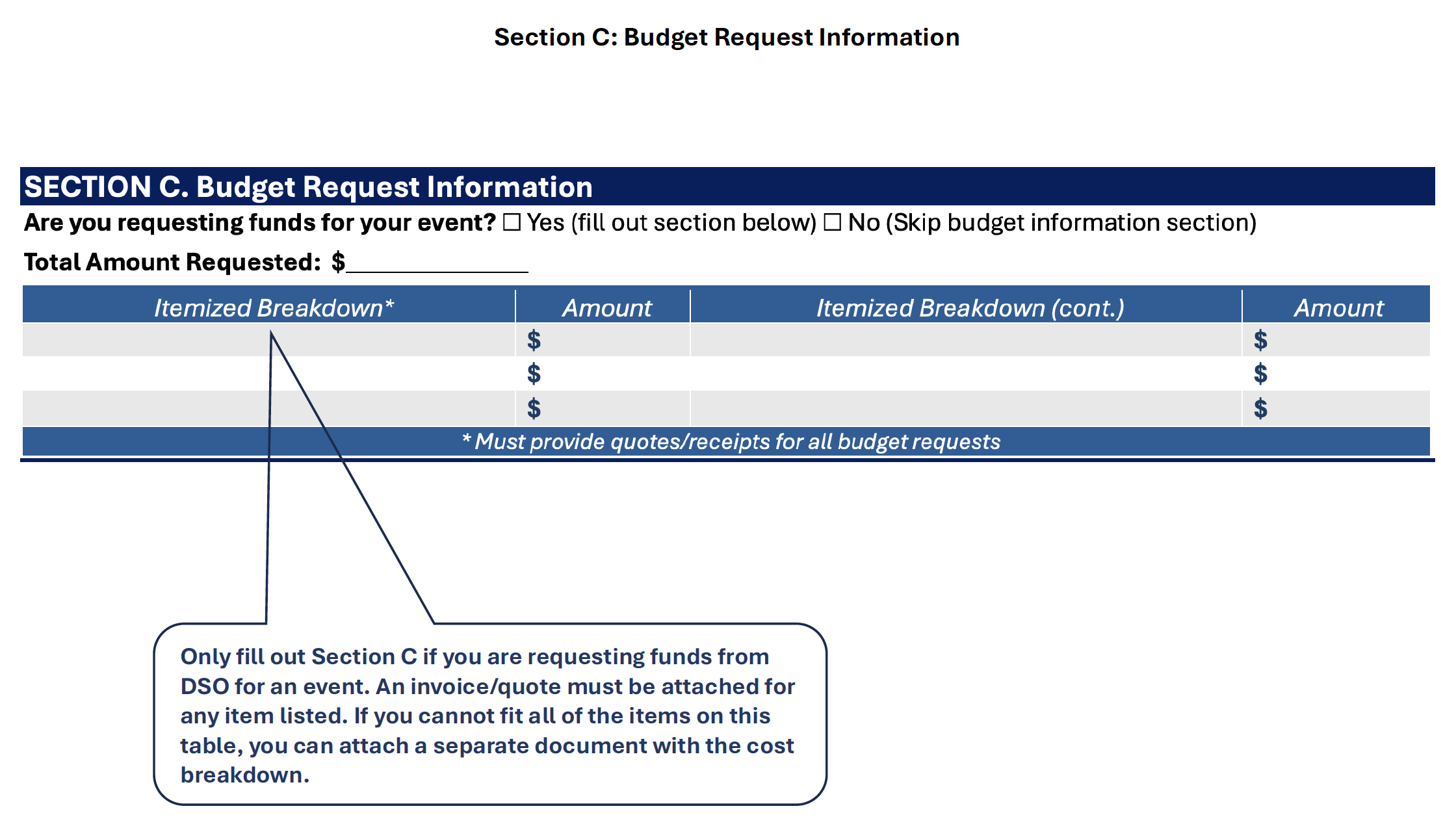
Section C of the event request form allows student groups to submit requests for DSO funding. A breakdown of all funding requests must be included in section C or attached with the form submitted to DSO. Once approved for funding by DSO, there are two methods in which student organizations can pay for events:
A. Payment Generated Prior of Event:
External Vendor Request: If you would like to order from an external vendor, we need a minimum of three weeks in order to have payment ready for the event date. The following is required from the vendor:
- Invoice | Cannot include tax. Stony Brook University's tax exempt certificate can be found here
- W-9 | In order for a check to be generated, the vendor must provide a valid W-9
Internal Food Request: If you are requesting food from CulinArt, please list the order quantity, item, and cost. Once the event form has been submitted, the Director of Student Services will place the order with CulinArt on behalf of the student organization. The CulinArt catering menu can be found here. Please note, all CulinArt orders must be placed at least one week prior to event.
B. Reimbursement After the Event:
If a student pays out of pocket for the event expenses, the student must submit proof of purchase (i.e. receipt/credit card charge) and a valid W-9 to the Director of Student Services within 7 days of the event. A check will then be issued to that student to reimburse them for the approved expenses.
After receiving approval on your event from DSO and the Office of Education, all student organizations must do the following:
Post their events on the SB Engaged platform.
Resources on navigating SB engaged can be found here .
Things to keep in mind when creating your event on SB Engaged
Access & Display Options:
Who is allowed to register: SBU SB engaged users only
Who can see this event: Group members only
Do you have a space reserved on 25 Live:
No, I've secured an alternative space and have proof of approval to use the space
You must upload a PDF of the email confirming your room was reserved
"RSVP at the Door" should be enabled for all events to ensure a seamless check-in process with attendance. This is set in the Advanced Options Creating an Event when creating the event.
Once the event is approved in SB Engaged, all student organizations must record attendance for the event using the platform.
Instructions on how to track attendance at your event using SB engaged can be found here .
Tracking Attendance
All student clubs/organizations must track attendance in SB Engaged at every event.
All student clubs/organizations are required to track attendance in SB Engaged.
Organizers/attendees must download the SB Engaged mobile app
To download our mobile application: Apple/iOS Download; Android Download
OPTION 1
- Generate one QR Code for all attendees to check-in to your event. To learn how, click here.
Option 2
- Scan each attendees individual QR Code: Organizers of events can scan attendees in real time as well with the Scan QR function, found in the upper right-hand corner of your mobile device.
- Attendees will be able to show their SBEngaged ID Card to scan, where their unique identification can be scanned into the Check-In section of the attendance list.
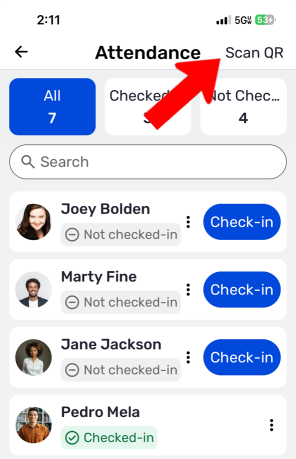
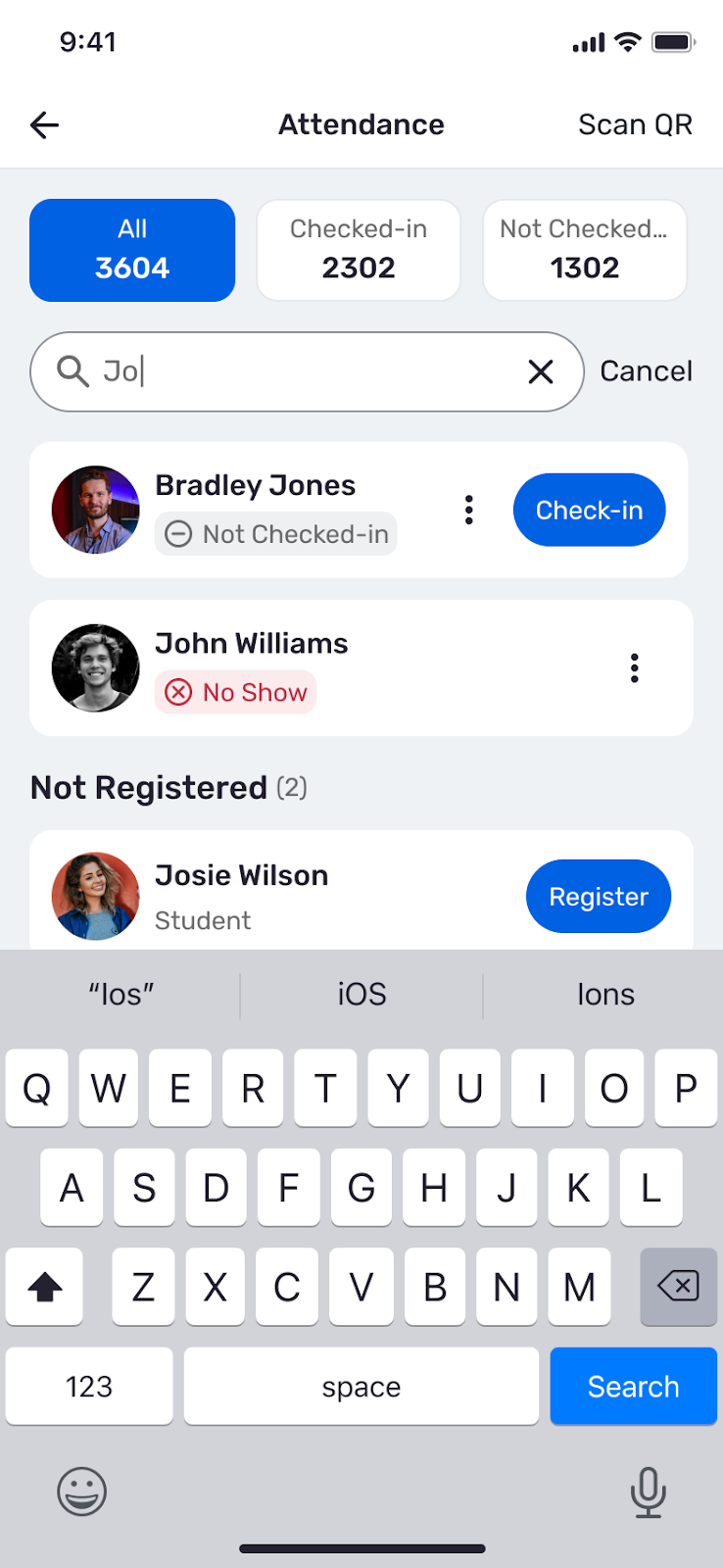
The search field at the top of the Attendance list can be used to locate specific attendees.
If a user on this list has not yet registered, you can tap Register on the spot. This feature helps streamline check-in for large events where attendees arrive in groups or at different times
Campus Group Help Center: https://helpcenter.readyeducation.com/check-in-via-mobile-app
To scan, point your camera on your device at the attendee's ID card that can be found on their app. Scanning outcomes include:
Checked In
Invalid or Error
- Already Checked In
- Not Allowed: Registration did not happen for the attendee prior to the event or because RSVP at the Door was not enabled. Student Club/Organization Forms
Additional Information regarding tracking attendance can be found here.
Student Club/Organization Forms
DSO Policy and Procedure Guide
Start a Student Club/Organization
Stony Brook Tax Exempt Certificate
SDM Confidentiality Agreement for Visitors
SDM Application for Short-term Visitor
Questions about a form? Email daniella.zajac@stonybrookmedicine.edu